Document Management & File Sharing
DSX Storage
Every file in its place. Every action on record.
DSX Storage in numbers
1 GB
per file upload
5
permission levels
365 days
audit trail by default
30 min
idle auto sign-out
Overview
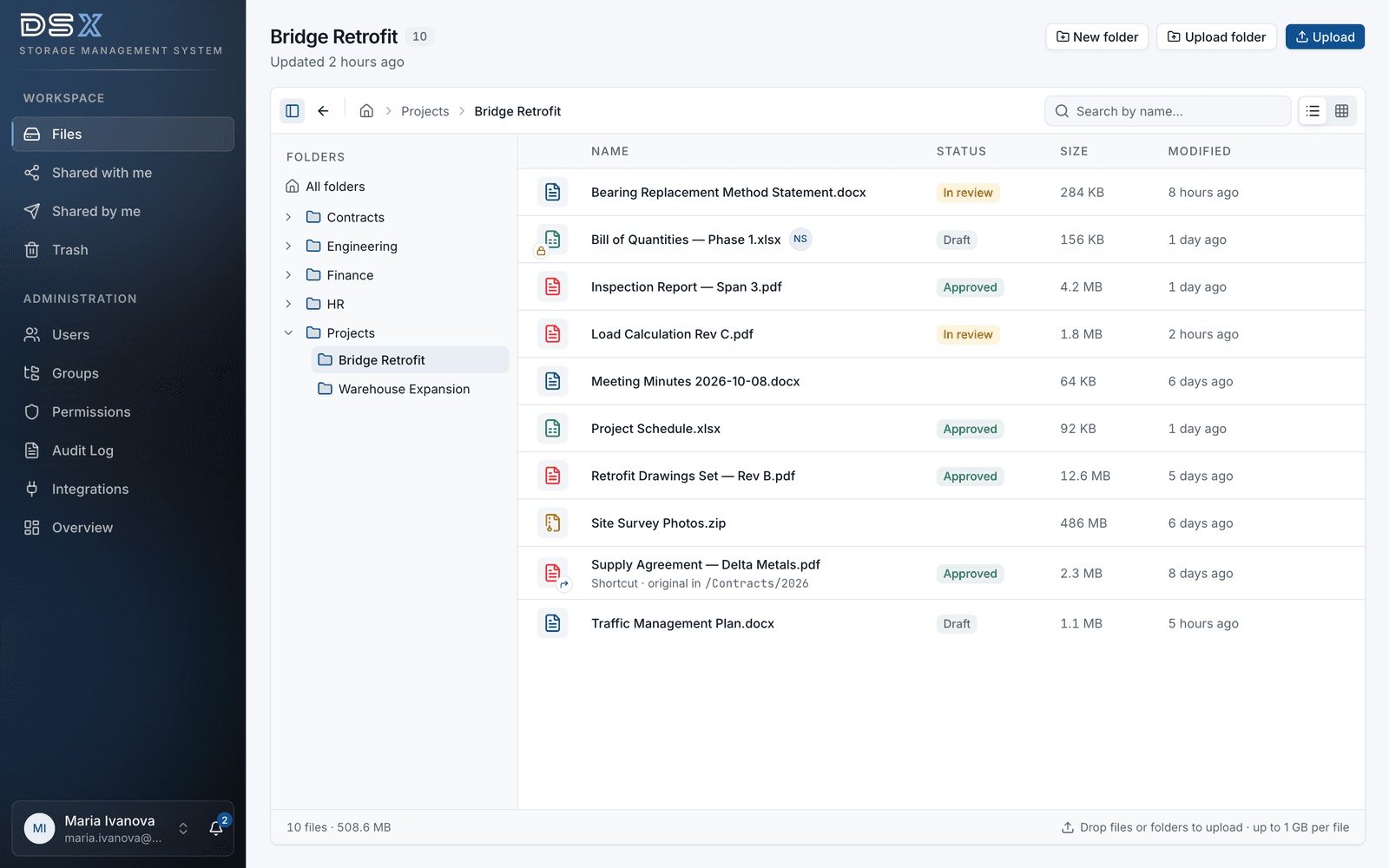
DSX Storage brings every document into one place with access rules you control down to a single file. Every upload, download, share and permission change is recorded in a tamper-evident audit log. Versions are kept, deleted files wait in a trash that only administrators can empty, and your team keeps working the way it likes — in the browser, from a mapped network drive, or by simply asking Claude.
Key features
Access Control
- Five permission levels — read, write, delete, share, admin — on any folder or file
- Users and nested groups, managed centrally
- Permissions flow down the folder tree and can be narrowed anywhere
- Active Directory / LDAP, SAML 2.0 and OpenID Connect single sign-on
- Two-factor authentication and automatic account lockout
- Automatic sign-out after 30 minutes of inactivity
Files & Versions
- Upload files up to 1 GB, or whole folders with drag and drop
- Every version kept — download, compare or restore it
- Preview PDF, images, video, audio and text right in the browser
- Edit text files in the browser
- One file in several folders, without duplicate copies
- Status (Draft, In review, Approved, Archived) and check-out to avoid double work
Sharing
- Share with colleagues and groups in a few clicks
- Public links with an optional password and expiry date
- Revoke any share at any time
- Notifications when something is shared with you
Audit & Recovery
- Who did what, when, from which IP and device — for every action
- Hash-chained log: tampering with history is detectable
- Filter by person, action, file and date; full history of any file
- 24-hour overview of failed sign-ins and denied actions
- Export to CSV or Excel
- Trash with restore; only administrators delete permanently, after a typed confirmation
Work Your Way
- Modern web app on desktop, tablet and phone
- Map it as a network drive in Windows Explorer or macOS Finder
- Saving from desktop apps keeps the full version history
- Hosted in an EU data centre by DSX, or on your own server
AI with Claude
- Connect Claude by Anthropic as a custom connector for your whole team
- Claude sees only what the signed-in person may see
- Reads long PDFs page by page, scanned pages, Word, Excel, PowerPoint and e-mail
- Every action Claude takes is in the audit log under the user's name
- Administrators choose: off, read-only, or read and write — never delete
FAQ
Common questions about DSX Storage.
DSX Storage runs on a dedicated server, either in an EU data centre operated by DSX or on your own Linux server. Files are stored on that server's own disk, not in a third-party cloud storage service.
Yes. DSX Storage supports Active Directory / LDAP and single sign-on with a SAML 2.0 or OpenID Connect identity provider, alongside local accounts with two-factor authentication.
Every person connects with their own DSX account, so Claude can open only the folders and files that person may open. Everything it does is recorded in the audit log under their name, and administrators can switch it off or to read-only at any time. Content that Claude reads is sent to Anthropic to answer the question.
Yes. Deleted files and folders go to the trash and can be restored. Nothing is removed automatically — only an administrator can delete permanently, and only after typing a confirmation.
Yes. DSX Storage can be mapped as a network drive over WebDAV, with the same permissions and the same audit trail as the web app. Saving from desktop applications keeps the version history.
Each file can be up to 1 GB, and whole folders can be uploaded in one go with drag and drop.
See DSX Storage in action
Book a demo and we will walk you through permissions, version history, the audit log and the Claude connector, then talk through running it on a server for your team.