Document Management System
DSX Storage
A secure document management system designed and built by Dzhukelov Solutions X: one place for every company file, access rules down to a single file and a tamper-evident record of every action.
Challenge
Documents rarely slip out of control in one dramatic moment. It happens slowly — across shared drives, e-mail attachments, USB sticks and personal cloud accounts that nobody in IT controls. A drawing is revised and sent by e-mail, the old version stays on the shared drive, and a third copy lives on someone's laptop. Access grows by accident: a folder shared with a subcontractor two projects ago is still open, and nobody remembers why. When a file disappears, the questions start — who saw it, which version is current, who deleted it — and there is no record to answer them. The pressure is highest in teams that work on shared documents every day, such as engineering, legal or accounting teams: calculations, drawings, contracts and approvals that pass through many hands before they are final.
These teams need clear rules — who may read, change, share or delete — without slowing the work down. They need every version kept, every action on record and a way back when something is deleted by mistake, and they want to know where their files physically live. Spread across several separate tools, the picture never comes together: each has its own permissions, its own history and its own idea of who did what. AI assistants add a new question — how do you let AI read company documents without giving it more access than the person asking?
Solution
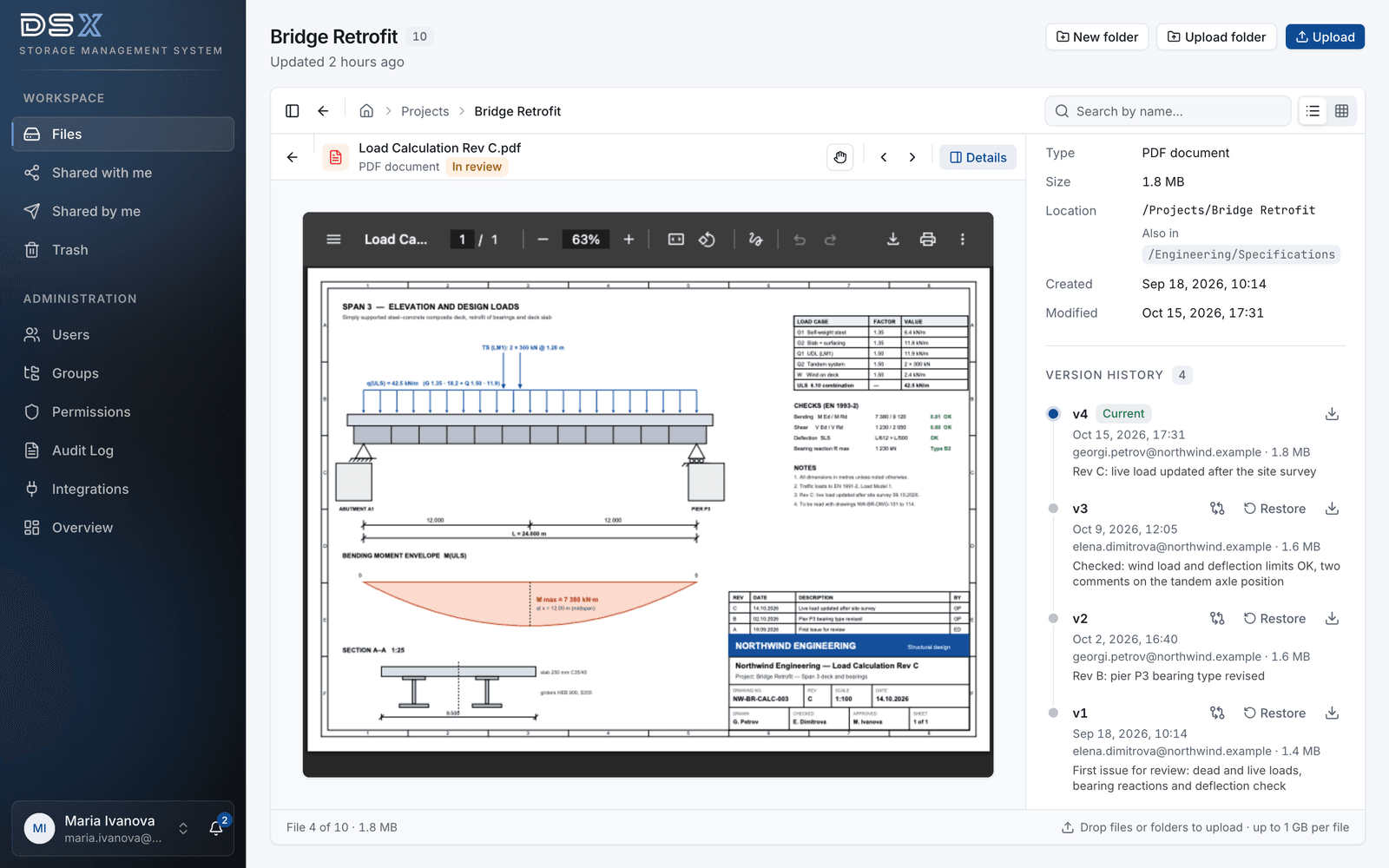
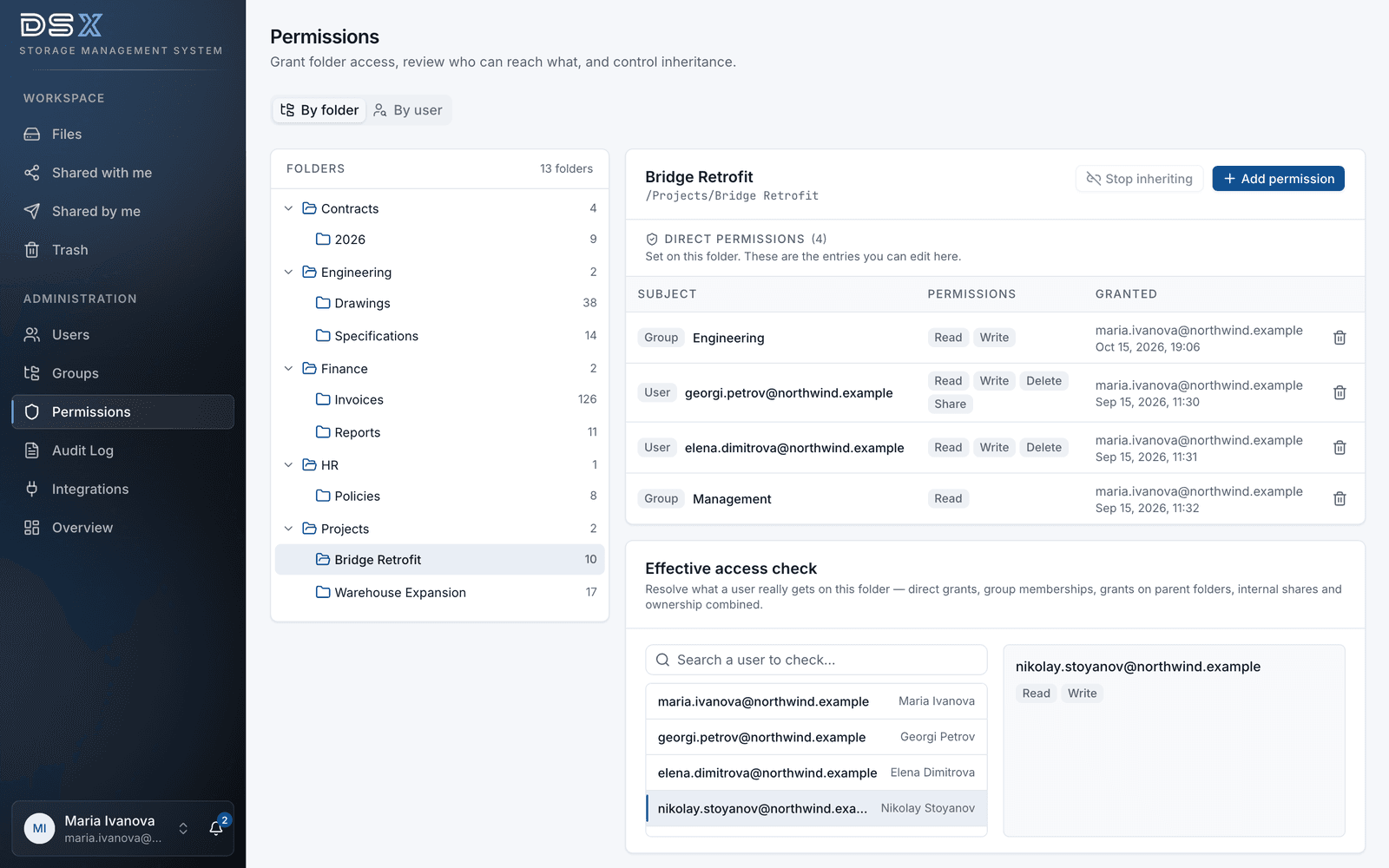
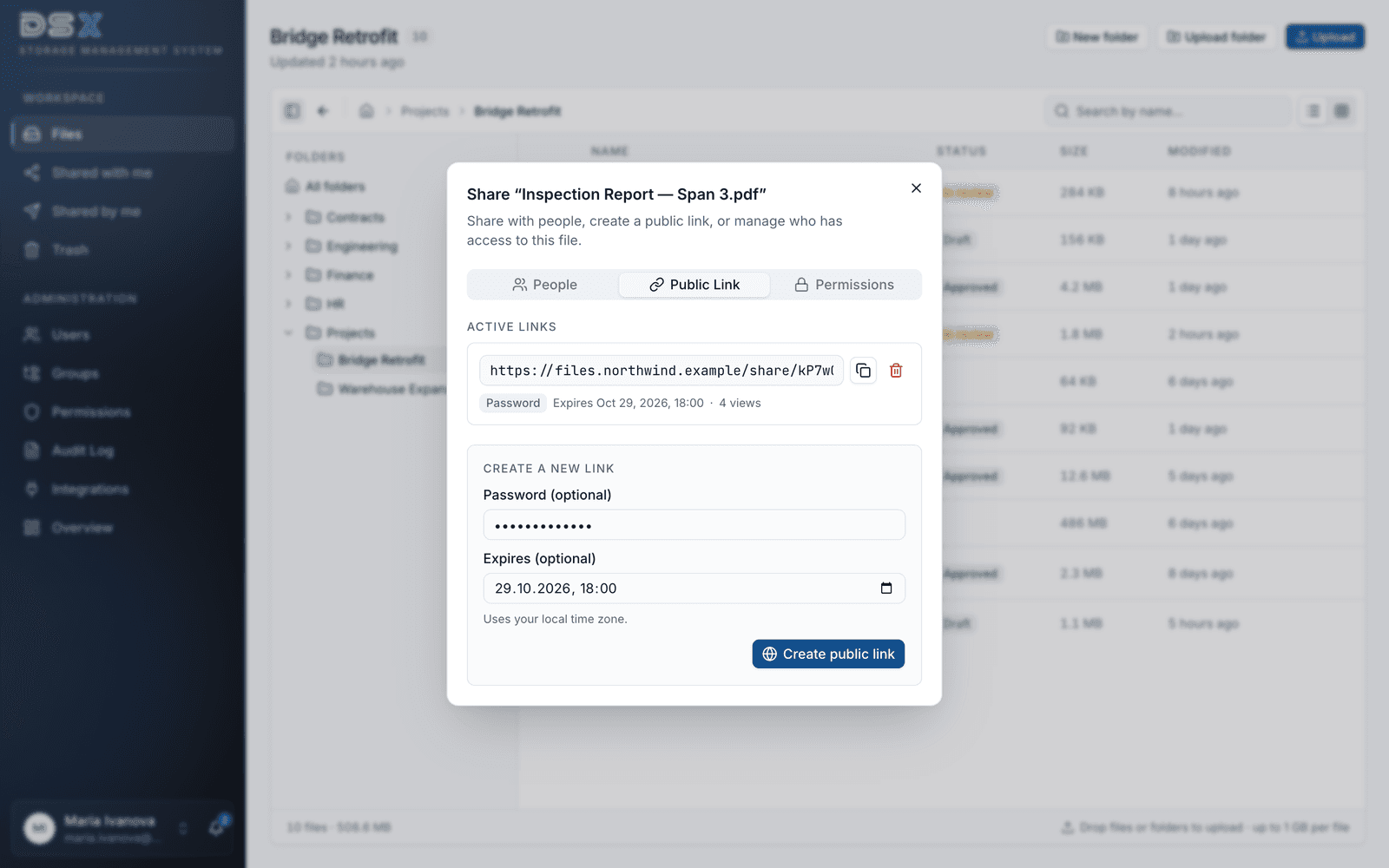
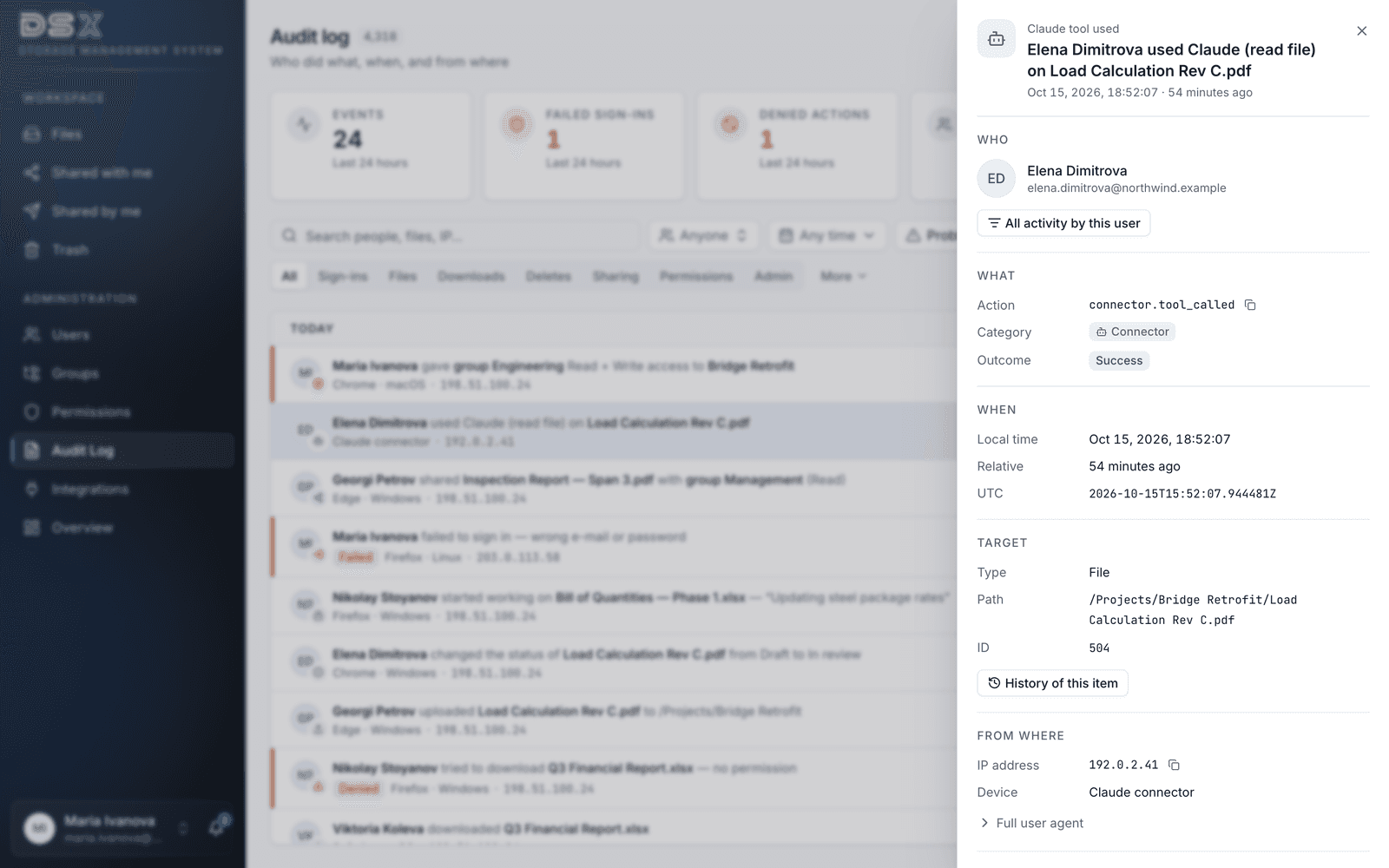
DSX designed and built DSX Storage as one secure home for company documents, starting with the permission model. Five levels — read, write, delete, share and admin — apply to any folder or single file and are granted to users or to nested groups that administrators manage centrally. Permissions flow down the folder tree and can be narrowed on any subfolder or file, so a confidential contract can sit inside a project folder the whole team can open. People sign in with a local account or through Active Directory / LDAP, SAML 2.0 or OpenID Connect single sign-on, with two-factor authentication, lockout after five failed attempts and sessions that end after 30 minutes of inactivity or 12 hours at most. Files of up to 1 GB and whole folders upload with drag and drop. Every version is kept and can be compared or restored, and PDFs, images, video, audio and text preview right in the browser. One file can appear in several folders without duplicate copies, document statuses and check-out stop two people from editing the same file at once, and search covers file names and metadata. Files are shared with colleagues and groups, or through public links with an optional password and expiry date; any share can be revoked, and people are notified in the app when something is shared with them. Every sign-in, upload, download, share, permission change and deletion lands in a hash-chained audit log — who, what, when, from which IP address and device — so tampering with past entries is detectable.
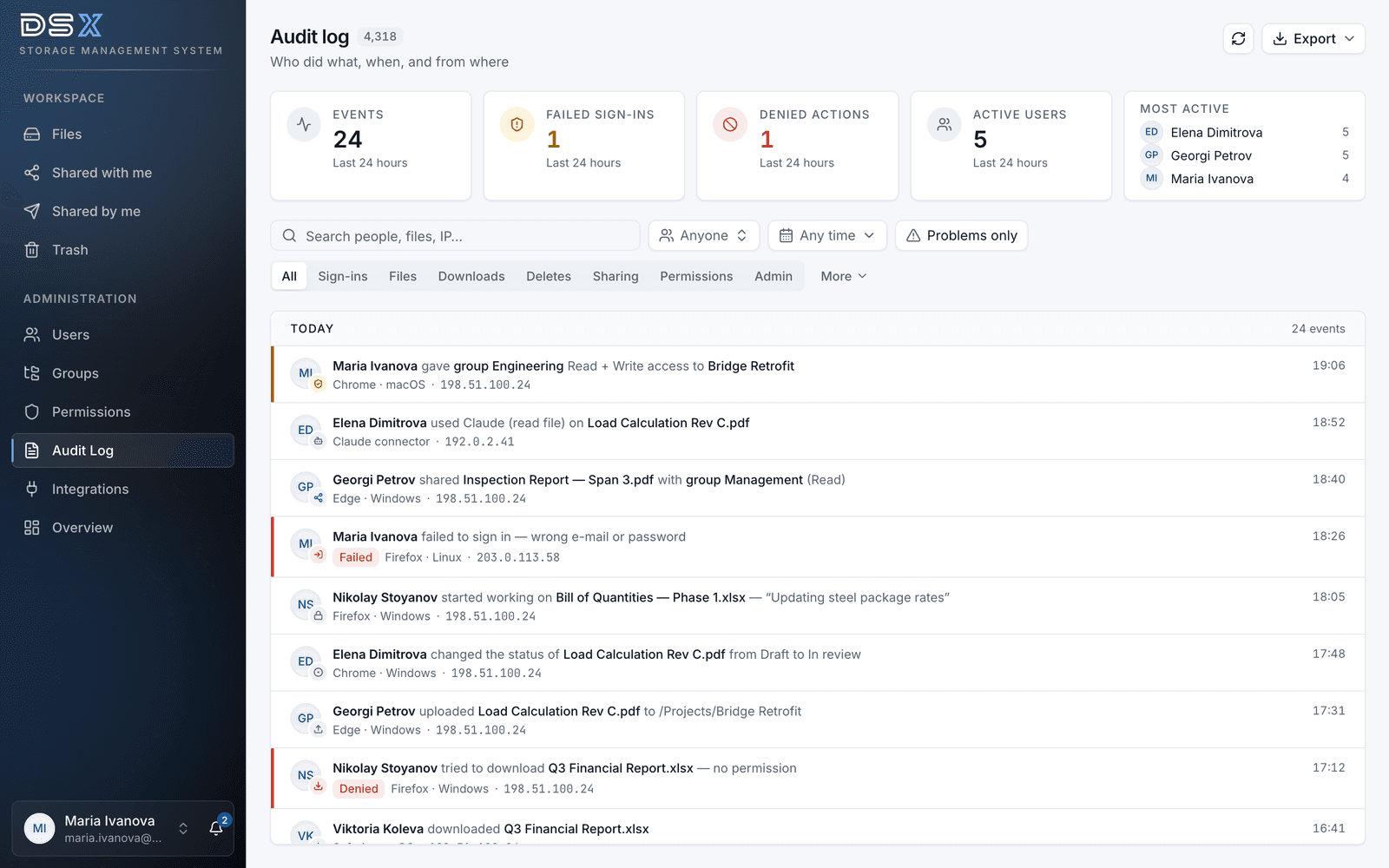
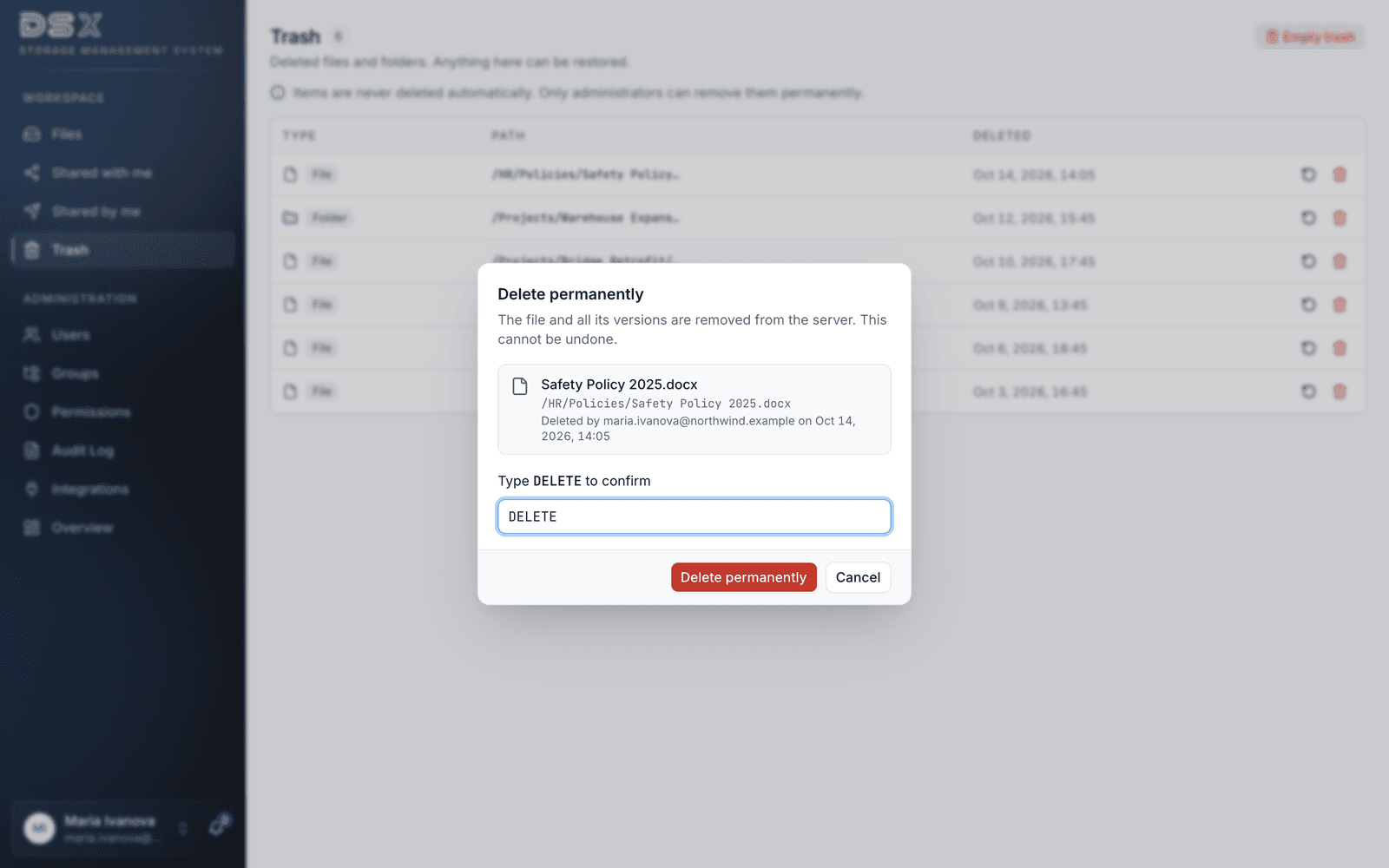
Administrators filter the log by person, action, file and date, open the full history of any file, export it to CSV or Excel and check a 24-hour overview of failed sign-ins and denied actions; entries are kept for 365 days by default. Deleted items wait in a trash that is never emptied automatically, and only an administrator can delete permanently, after typing a confirmation. Teams keep their habits: DSX Storage maps as a network drive over WebDAV in Windows, macOS and Linux with the same permissions and audit trail, and saving from desktop apps keeps the version history. It runs on a dedicated server in an EU data centre operated by DSX or on the customer's own Linux server, with files stored on that server's own disk, not in a third-party cloud storage service. The last layer is AI: DSX built a connector that lets Claude by Anthropic work with the files over the Model Context Protocol and OAuth 2.0. Each person signs in with their own DSX account, so Claude sees exactly what they may see; administrators choose off, read-only or read and write, there is no delete through Claude, and every action is logged under the user's name. Documents are parsed for Claude in an isolated process with resource limits, and the content Claude reads is sent to Anthropic to answer the question. More than 1,000 automated tests check the backend.
Results
5 permission levels
read, write, delete, share and admin on any folder or single file, for users and nested groups
SSO + 2FA
Active Directory / LDAP, SAML 2.0 and OpenID Connect sign-in, with two-factor authentication and account lockout
1 GB per file
drag-and-drop uploads of large files and whole folders, with every version kept and restorable
Hash-chained log
every sign-in, download, share, permission change and deletion recorded — tampering with past entries is detectable
365-day audit trail
kept by default and configurable, with search by person, action, file and date and export to CSV or Excel
WebDAV drive
work from Windows Explorer, macOS Finder or Linux with the same permissions and the same audit trail
Claude connector
Claude by Anthropic works with each user's own permissions, and every action is logged under their name
Tech stack
- Python
- Django
- Django REST Framework
- Next.js
- React
- TypeScript
- Tailwind CSS
- PostgreSQL
- Redis
- Celery
- WsgiDAV
- Model Context Protocol (MCP)
- OAuth 2.0
- Docker
- Caddy
Have a similar challenge?
Tell us about your project. We'll scope a solution that fits your timeline and budget.